-
Q1.Flashman Setup and Troubleshooting – Pre-configuration on iOS version 26.0.1 and later
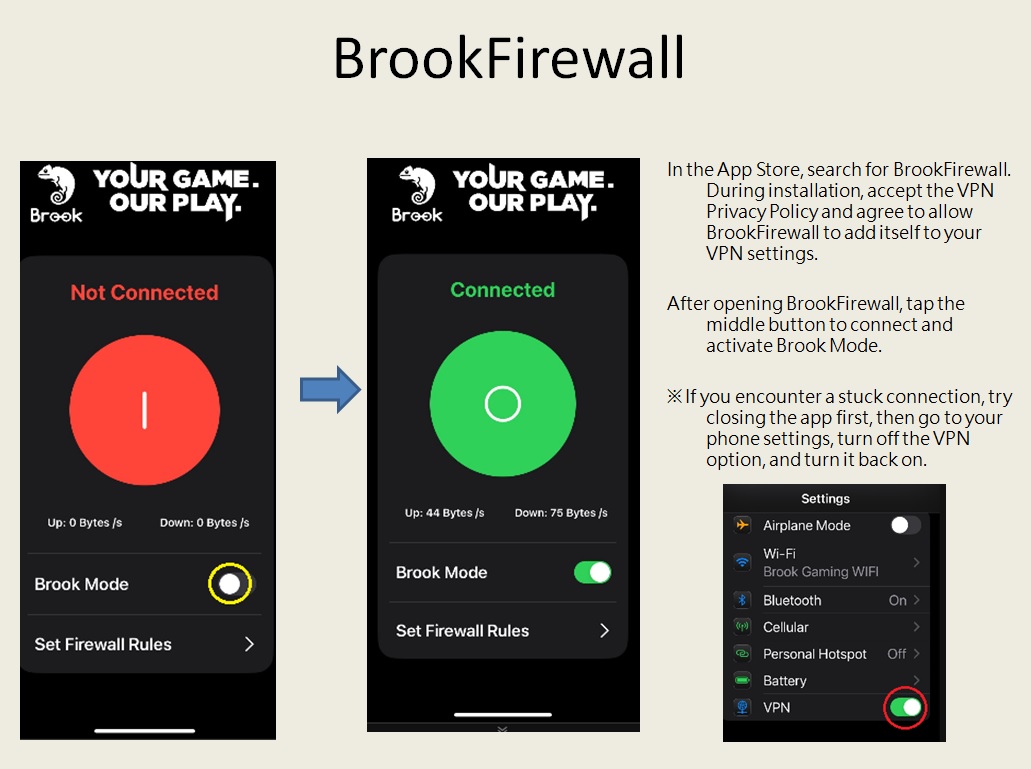
Please make sure Flashman and BrookFirewall Apps are already updated to the latest version and follow the settings below :
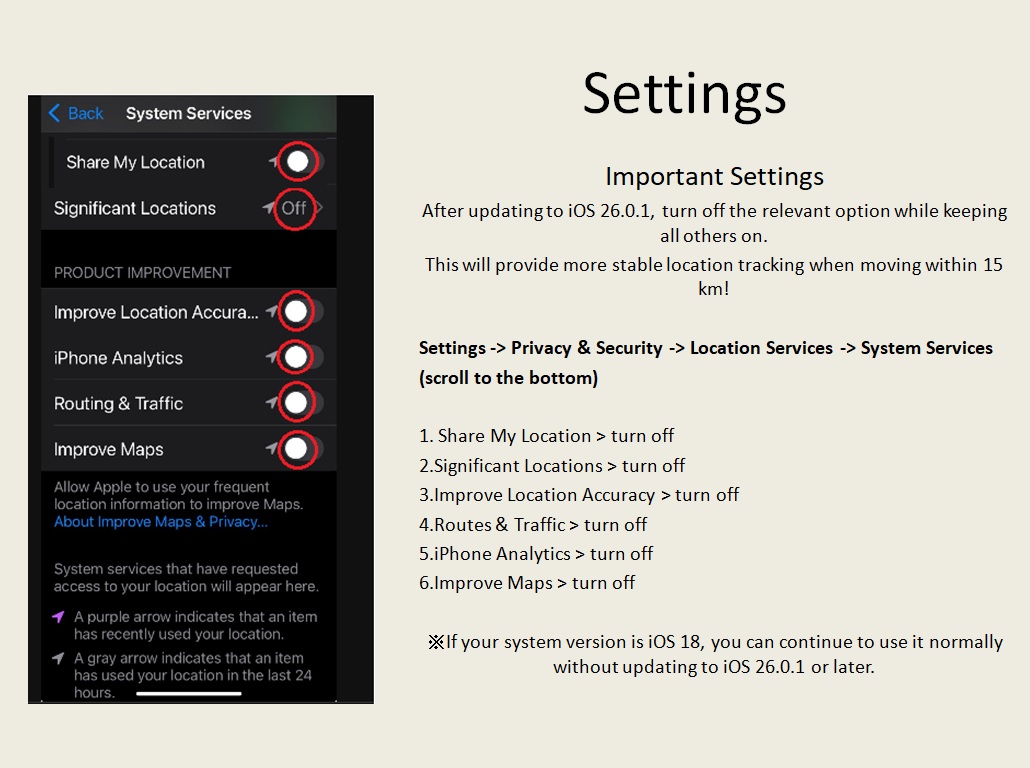
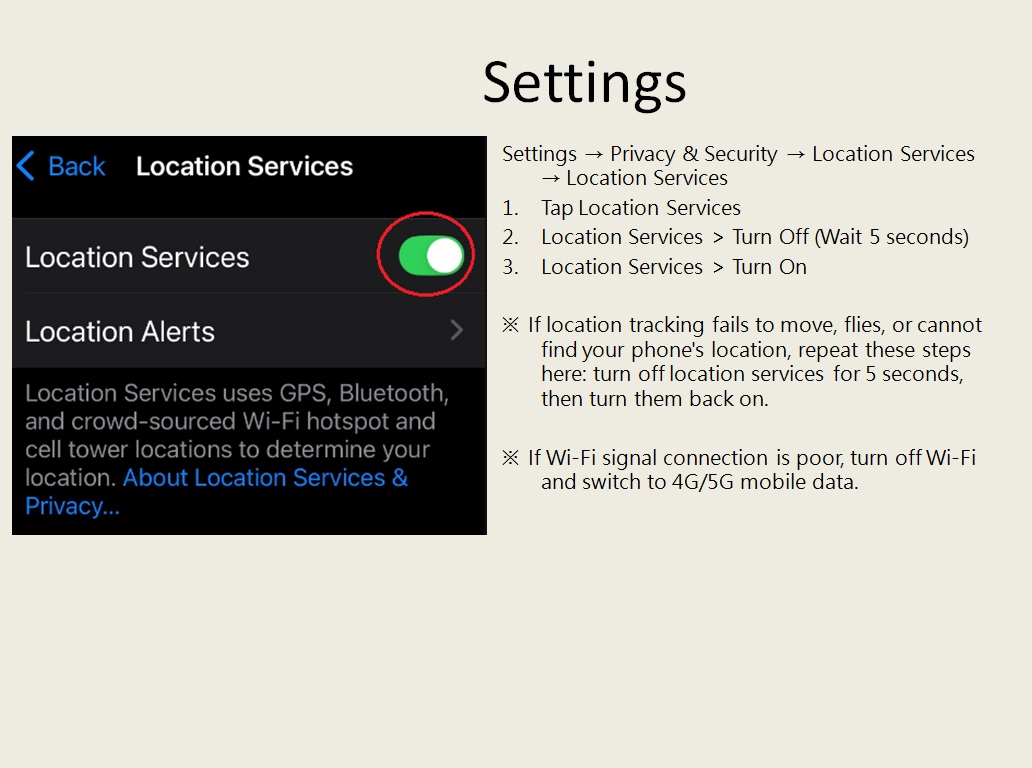
To ensure more stable product functionality, please follow the instructions below to download and configure BrookFirewall.
Q: How to set up "Smart Auto-Reconnect" for Flashman?
A:
If you have subscribed to the auto-catcher function but Flashman does not automatically reconnect after disconnecting, it is usually because the "Reconnect Coordinate Setup" has not been completed.
Please follow the step-by-step guidance in the tutorial video below:
-
[Flashman Smart Auto-Reconnect Setup Video]:
Click here to watch video
Once you map the reconnect button coordinates in Pokémon GO according to the video instructions, Flashman will be able to perform smart auto-reconnect properly when disconnected.
-
-
Q2.Other Technical Questions - Flashman
Q : My character cannot move, what can i do ?
A : Go to the Bluetooth Setting on your phone, to forget/clear the device "Brook Flashman-XX", then go back to the game to pair it again.
Or turn Bluetooth off and then on again.Q : Can I reset Flashman?
A : Turn off the power and then turn it back on.
Can't Find What You Need?
If none of the situations apply to you, contact your local distributors who will help you troubleshoot or fill out a technical support form so that we can help you find the best solution.



3F., No.121, Jian 8th Rd., Zhonghe Dist., New Taipei City 23585, Taiwan
Tel: +886-2-6620-2225 #361|Fax: +886-2-6620-2226|Business Hours: 10:00 AM to 6:00 PM (GMT+8)